

Your wp_postmeta table is large because a handful of meta keys are large. It is almost never “WordPress in general”, and it is rarely the orphaned rows that cleanup guides start with. Find the keys first. The query takes a second, and it tells you whether you are looking at a page builder, a shop, an image library or a plugin you removed two years ago.
Each of those gives you a different answer, and only some of them are deletions.
Measure it before you clean it
Run two read-only queries in phpMyAdmin, Adminer or your host’s database tool. Nothing below changes your data until the section on deleting.
First, check your table prefix. It is $table_prefixin wp-config.php, and it is often not wp_. Every query in this article uses wp_; replace it with yours.
How big is the table, and how much of it is free space?
SELECT table_name,
       ROUND(data_length / 1048576, 1)  AS data_mb,
       ROUND(index_length / 1048576, 1) AS index_mb,
       ROUND(data_free / 1048576, 1)    AS free_mb,
       table_rows
FROM information_schema.tables
WHERE table_schema = DATABASE()
AND table_name = 'wp_postmeta';table_rowsis an estimate for InnoDB tables. Use it to judge your scale, not for your before-and-after comparisons.
Which keys hold the space?
SELECT meta_key,
       COUNT(*)                                   AS rows_count,
       ROUND(SUM(LENGTH(meta_value)) / 1048576, 2) AS value_mb
FROM wp_postmeta
GROUP BY meta_key
ORDER BY value_mb DESC
LIMIT 25;
Write down your top five keys with their row counts and sizes. You will compare against this list at the end.
If every row shows 0.00, that is your answer too: your space is not in wp_postmeta. The small test site for this article had 136 rows, and every key rounded to 0.00 MB.
Which keys are usually the heavy ones
The prefix of a key tells you who wrote it. A leading underscore hides it from your custom-fields box. It does not tell you the key is unimportant.
| Key pattern | Written by | What it holds | Safe to delete? |
|---|---|---|---|
_elementor_data, _elementor_* | Elementor | The whole page layout as JSON, per page and per revision | No. This is your page. |
_wp_attachment_metadata | WordPress core | Sizes and file names of every image size | No. Images lose their sizes. |
_oembed_, _oembed_time_ | WordPress core | Cached embed HTML for pasted URLs | Yes. WordPress fetches it again on the next view. |
_edit_lock, _edit_last | WordPress core | Who is editing, and who last edited | Harmless either way, and tiny. |
_yoast_wpseo_, rank_math_ | SEO plugins | Titles, descriptions, scores | No, while the plugin is in use. |
_price, _regular_price, _sku, _stock | WooCommerce | Product data | No. |
_billing_, _order_, _customer_ip_address | WooCommerce, older order storage only | Orders and your customers’ details | No. |
| anything from a plugin you removed | that plugin | its settings per post | Only after the check in Keys left behind. |
If your top key is a page builder’s, the table is large because your pages are large. Deleting will not fix that for you; trimming revisions might. If it is _oembed_*, you can clear it safely. If it is a key you do not recognise, read the leftovers section before you touch it.
If you run a shop, check where WooCommerce keeps your orders before you read order keys in this list. You find it under WooCommerce> Settings> Advanced> Features, as “Order data storage”. On the test site with WooCommerce 11.2.1: – with WordPress posts storage (legacy), one order wrote 25 rows to wp_postmeta, six of them _billing_*; – with High-performance order storage, a new order wrote none. Its address went to the wc_order_addressestable instead.
Products keep their meta in wp_postmetaeither way. Switching to the new storage left the old order’s rows where they were, and WooCommerce listed that order as one to clean up.
Orphaned rows: meta whose post is gone
An orphaned row has a post_idthat no longer exists in wp_posts. WordPress does not create them on its own: when you delete a post, wp_delete_post()deletes its meta with it. Orphans come from posts someone removed by SQL, from imports that failed halfway, and from plugins that delete their own post types the wrong way.
Count them before you assume you have any:
SELECT COUNT(*) AS orphaned_rows,
       ROUND(SUM(LENGTH(pm.meta_value)) / 1048576, 2) AS orphaned_mb
FROM wp_postmeta pm
LEFT JOIN wp_posts p ON p.ID = pm.post_id
WHERE p.ID IS NULL;
If the result is a few hundred rows and a fraction of a megabyte, orphans are not your problem. Clean them anyway if you like, but go back to the key list. If the result is a large share of the table, you have found your cause.
If you want to check the other meta tables too, how to find orphaned metadata in WordPresswalks you through them.
Revisions carry meta too
Every revision you save is a row in wp_postswith post_type = 'revision'. Page builders store a copy of their layout meta against many of those revisions. If your page has 60 revisions, it can carry 60 copies of its _elementor_data.
Count them per parent before you delete anything:
SELECT p.post_parent, COUNT(*) AS revisions
FROM wp_posts p
WHERE p.post_type = 'revision'
GROUP BY p.post_parent
ORDER BY revisions DESC
LIMIT 10;
Delete your revisions through WordPress, a plugin or WP-CLI, not with a bare DELETE FROM wp_posts. The WordPress route removes their meta with them. The SQL route leaves that meta behind as orphans, and you are back in the previous section.
To stop the growth, set a limit in your wp-config.php:
define( 'WP_POST_REVISIONS', 10 );You will find the full procedure in how to delete old WordPress post revisions safely.
Keys left behind by removed plugins
This is where you can get hurt. A key you do not recognise looks like rubbish, and sometimes it belongs to something you still run: a theme option, a snippet in your functions.php, or a plugin whose name has nothing in common with the key.
Before you delete a key, establish three things:
- Who wrote it.Search your installed code for the key name. With WP-CLI or shell access:
grep -r "your_meta_key" wp-content/. If you get no result inwp-content, that is a strong sign that nothing active reads it. - That nothing reads it.A result in a plugin you no longer use is fine. A result in your active theme or a must-use plugin means stop.
- How many posts carry it.A key on every one of your posts is a setting. A key on twelve posts from 2019 is a leftover.
Deactivating a plugin does not remove its meta. When you delete it through the Plugins screen, you run its uninstall routine, if it has one. Many plugins do not.
Deleting one key without collateral damage
Take a database backup first, and make sure you can restore it. That is the step that makes every other mistake here recoverable. If you have not restored one before, create a WordPress database backup and verify the SQL exportshows how.
Then work one key at a time. Run your SELECTand read its count. Then run your DELETEwith exactly the same WHERE:
SELECT COUNT(*) FROM wp_postmeta WHERE meta_key = 'old_plugin_key';

DELETE FROM wp_postmeta WHERE meta_key = 'old_plugin_key' LIMIT 5000;
Repeat the DELETEuntil it reports 0 affected rows. The LIMITkeeps each statement short, so your shared host’s query timeout does not stop it halfway. If a long run stops anyway, see database cleanup stuck or timed out.
For cached embeds, use a pattern rather than a list:
DELETE FROM wp_postmeta WHERE meta_key LIKE '\_oembed\_%' LIMIT 5000;You need the backslashes. In LIKE, an unescaped underscore matches any single character, so '_oembed_%'also matches keys you did not mean.
Why the table does not shrink on disk
After a large delete, you will often see the table’s data size stay the same. InnoDB keeps the freed pages for reuse instead of returning them to your file system. The first query in this article shows them to you as free_mb.
OPTIMIZE TABLE wp_postmeta;rebuilds the table and gives that space back when your server stores each table in its own file. That is the default on current MySQL and MariaDB. On a big table the rebuild takes time and may lock your writes while it runs, so do it at a quiet hour. How to optimize WordPress database tables safelygives you the details.
You do not need to optimize after every cleanup. Free space inside the table is reused by your next inserts. It only matters when you need the disk back, for example because a backup fails because the disk is full.
Verification
Your cleanup is finished when the numbers moved and the site did not.
| Check | Expected |
|---|---|
| Run the key-size query again | The keys you deleted are gone from the list. The others have the same row counts as before. |
| Run the orphan count again | 0, if you cleaned orphans. |
| Open three pages: one built with your page builder, one with images, and one product if you run a shop | All three look exactly as before. |
| Pick one meta row of a live post that you did not target, and count its key before and after | Must not change.If it dropped, your WHEREwas wider than you thought. Restore the backup. |
The last row is the one you cannot skip. A cleanup that removes the right rows proves nothing on its own. It has to leave the wrong rows alone too, and only a before-and-after count of a key you did not target shows that.
On the test site the fourth row held both times. After a Database Cleaner run, the untargeted key stayed at 7 rows and a decoy key that an unescaped pattern would match stayed at 1. After the manual DELETEabove, typed exactly as printed, 3 rows went, the untargeted key stayed at 14 and the decoy at 2. Without the backslashes, the same pattern matched 5 rows, the decoys included.
How AIOWS helps:
AIOWS Database Cleaner
Database Cleaner takes the routine part of this article off your hands, so your attention goes to the part that needs it.
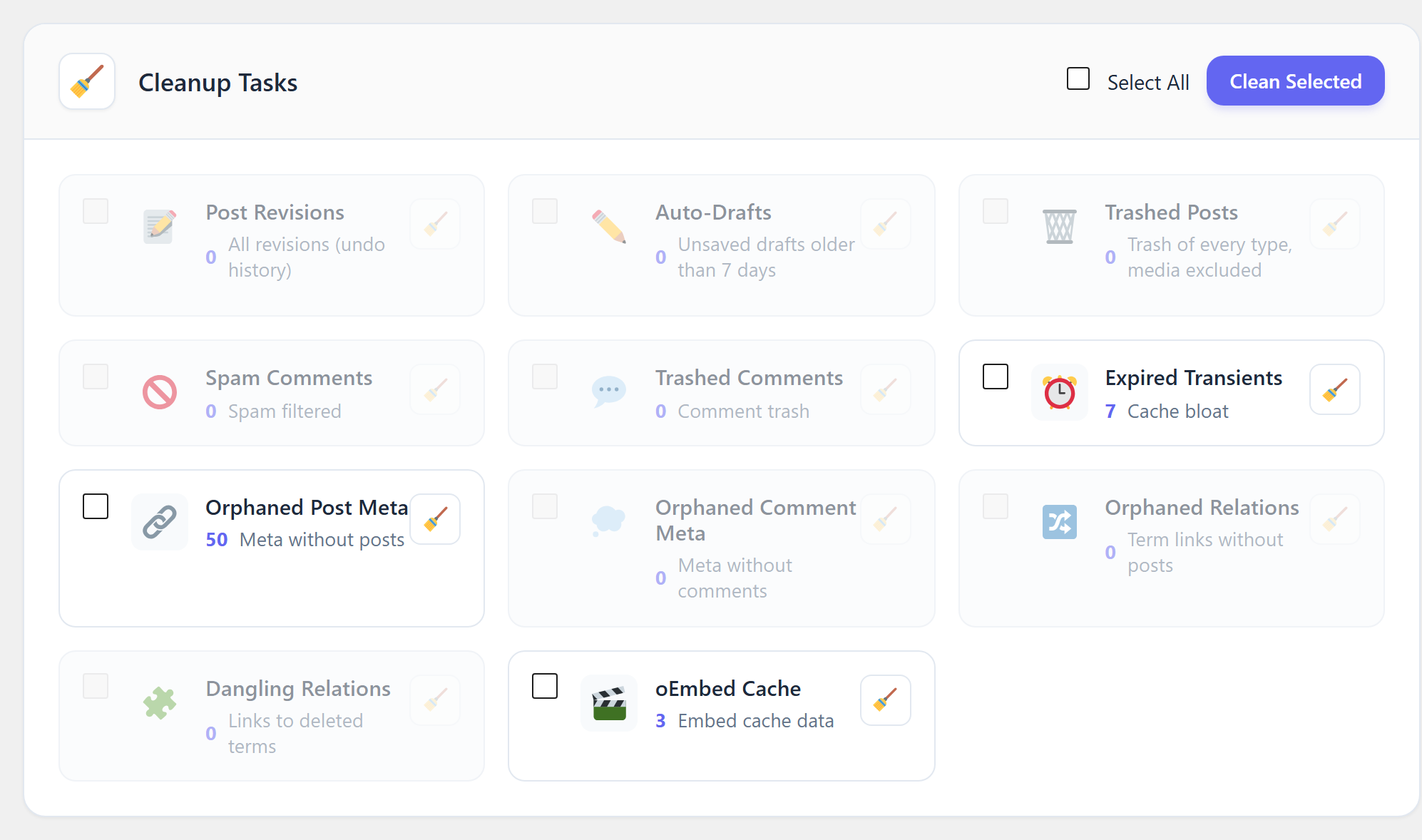
It runs the deletions that need no judgement.Two of its eleven tasks are the safe ones from this article. Orphaned Post Meta removes the wp_postmetarows whose post no longer exists, and nothing else. oEmbed Cache removes the _oembed_keys with the underscore escaped, so the LIKEtrap above cannot catch you. Post Revisions deletes through WordPress itself, which takes each revision’s meta with it. It can also keep the newest revisions of every post.
It shows you the count first.Each task shows how many rows it would remove, counted with the same conditions as the delete. You cannot select a task that has nothing to remove. Before Orphaned Post Meta runs, the confirmation lists the keys with the most orphaned rows and the post IDs they pointed to. That is your last look at what the orphans were.
It backs up first, every time.Each cleanup starts with a backup of the tables it touches. If that backup cannot be written, nothing is deleted.
It keeps optimizing separate.Optimize Tables is its own button. Run your cleanup, compare your numbers, and give the disk space back when you choose.
The confirmation for Orphaned Post Meta read, word for word:
This action will first create a database backup, then permanently delete the selected items. Are you sure?

Orphaned post meta rows that will be deleted, by key:
orphan_test_0 ×17
orphan_test_1 ×17
orphan_test_2 ×16
post IDs 100.006–100.010, 5 objects
Its limits, stated plainly. It does not decide which meta keys of your live posts are leftovers. Keys left by removed plugins, duplicate rows, and orphaned term or user meta are not among its tasks. Those stay with you, one key at a time, as the leftovers section describes. It does not delete trashed media, because a database backup cannot bring the files back. Empty the Media Library trash yourself. And it cannot tell you why your table grew. The key-size query at the top of this article does that, and it is worth running before any tool.
FAQ
Is a 500 MB wp_postmeta table a problem?Not by itself. It matters when your queries that read it get slow, or when your backups and disk suffer. The key list tells you whether the size is content you need or data you can drop.
Can I delete all meta keys that start with an underscore?No. The underscore only hides a key from your custom-fields box. Your images, page layouts and shop data all live in underscore keys.
Will deleting orphaned postmeta break anything?No, if your query joins on wp_postsas above. An orphaned row belongs to no post, so nothing on your site can display it.
Why is the table still the same size after cleanup?InnoDB keeps the freed space inside the file. OPTIMIZE TABLEgives it back. See Why the table does not shrink on disk.
Does a big wp_postmeta table slow down my site?It can slow down your queries that filter by meta value, such as some shop and search queries. Pages you serve from a cache are not affected. Measure before you conclude that it does.


