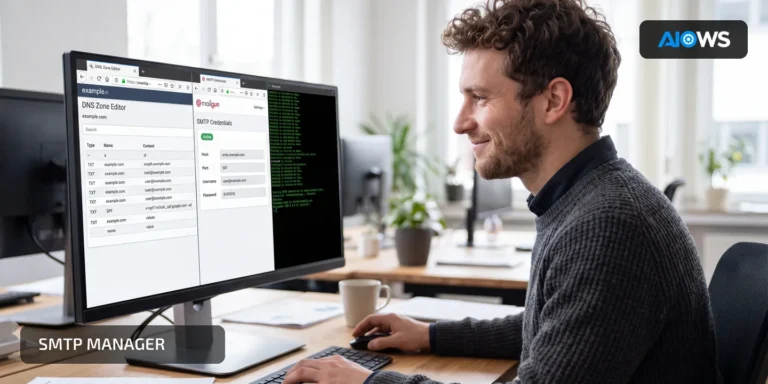
A technician tries ports 25, 465, and 587 in turn without changing the encryption mode. Each attempt fails for a different reason, but none identifies the combination the provider supports for WordPress.
Choose the provider’s documented hostname, port, and TLS mode as one configuration. A port number alone does not tell the client how the secure session begins.
What it means
Port 587 commonly provides authenticated message submission with STARTTLS. Port 465 usually expects TLS from the start of the connection. Port 25 is primarily used for server-to-server delivery or provider-specific relays and is often blocked by hosting networks.
The provider’s documentation is authoritative. Network reachability, TLS negotiation, authentication, sender authorization, and final delivery are separate checks.
A realistic WordPress example
The provider documents smtp.example.com:587with STARTTLS. A TCP test from the WordPress host shows that outbound 587 is blocked, while changing to 465 produces a certificate-name error because the wrong hostname was entered. The correct fix is to allow the documented route and use its matching hostname—not to keep cycling through ports.
Why it matters and when to use it
The wrong port and encryption pairing can expose credentials, trigger opaque handshake errors, or connect WordPress to an unintended relay. Use this diagnosis when the connection times out, TLS fails before authentication, or the provider explicitly rejects the chosen submission service.
A straightforward route for beginners
- Copy the SMTP hostname, port, encryption mode, and authentication method from the provider’s current documentation.
- Enter that exact combination in WordPress; use STARTTLS for 587 or implicit TLS for 465 only when specified.
- Confirm that the host allows outbound TCP traffic to the selected port.
- Send a controlled WordPress message and verify the TLS handshake, authentication, provider acceptance, and mailbox delivery.
- Keep certificate verification enabled throughout testing.
The advanced route
Trace DNS resolution, TCP connection, TLS handshake, certificate name and chain, SMTP greeting, STARTTLS capability where applicable, authentication, MAIL FROM acceptance, provider event, and delivery. Compare IPv4 and IPv6 paths if results differ. Record a credential-free transcript and distinguish a firewall timeout from a TLS or SMTP response.
Risks, common mistakes, backup, and rollback
Do not disable certificate verification, send credentials over plaintext, assume port 25 is an authenticated submission service, or switch ports rapidly enough to trigger provider controls. If a new configuration weakens TLS or interrupts mail, restore the last documented provider combination while the network or certificate issue is resolved.
How AIOWS helps:
AIOWS SMTP Manager
AIOWS SMTP Manager keeps the selected hostname, port, encryption mode, and authentication settings visible on the WordPress side. Controlled tests and diagnostic information help separate connection, TLS, authentication, and provider-response failures.
Use it with the exact tuple published by the provider, then test a real WordPress-generated message. A successful socket connection is not enough; the certificate must validate, authentication must succeed, and the provider must accept the authorized sender.
AIOWS cannot open a blocked hosting port, correct the provider’s certificate, or override relay policy. If the documented route is unreachable, the hosting provider or mail service must address that layer. Never work around it by disabling TLS validation.
Related AIOWS articles
- Configure SMTP in WordPress: Complete Setup Guide
- Gmail App Password vs OAuth for WordPress SMTP
- Microsoft 365 SMTP AUTH Disabled: WordPress Solutions
Conclusion and recommended route
The recommended route is to copy the exact provider-owned hostname, port and encryption mode as a tested tuple. Prove TCP, TLS, authentication, sender acceptance and final delivery as separate steps; never fix a mismatch by turning off certificate validation.