WordPress cannot send email out of the box. It tries, but on most servers the attempt either fails silently or the message lands in spam. WordPress SMTP settingschange the last link in that chain: the message now leaves through an authenticated mail server rather than the server’s local delivery agent.
This guide covers where the problem comes from, the real host and port values by provider, and a verification that proves the settings are actually in use.
Why WordPress mail does not arrive
When WordPress sends email it calls wp_mail(). That function uses the PHPMailer library, and PHPMailer hands the message to PHP’s mail()function by default. mail()passes it to the local delivery agent on the server.
There are two break points in that chain.
The first:most shared hosting providers disable mail()or block outbound port 25. The restriction exists to stop spam, and it stops legitimate site mail along with it. WordPress reports success and nothing leaves.
The second, and the more insidious one:even when mail()works, the message goes out without authentication. The receiving server cannot verify that it was authorised to send on behalf of your domain. SPF and DKIM do not align, the Return-Path does not match, and the message either lands in spam or is rejected outright.
WordPress SMTP settings replace that last step. PHPMailer no longer hands the message to a local agent; it connects to a real mail server with credentials and sends from there. The message now leaves an authenticated source.
WordPress SMTP settings by provider
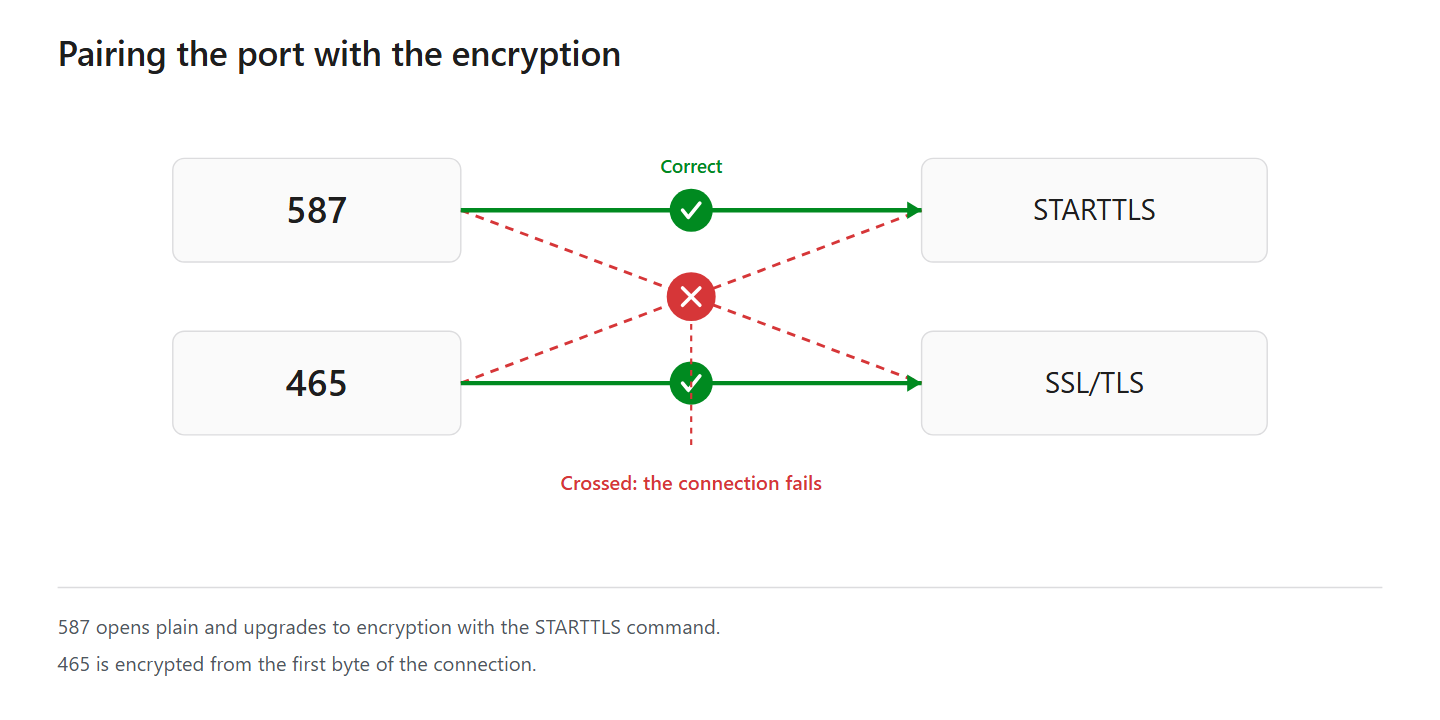
WordPress SMTP settings need four values: host, port, encryption type and authentication method. They are connected — pairing the port with the wrong encryption is the single most common mistake.
| Provider | Host | Port | Encryption | Authentication |
|---|---|---|---|---|
| Gmail (personal) | smtp.gmail.com | 587 | STARTTLS | App password |
| Gmail (personal) | smtp.gmail.com | 465 | SSL/TLS | App password |
| Google Workspace | smtp.gmail.com | 587 | STARTTLS | App password or OAuth |
| Microsoft 365 | smtp.office365.com | 587 | STARTTLS | OAuth 2.0 recommended, SMTP AUTH must be on |
| Yandex | smtp.yandex.com | 465 | SSL/TLS | App password (mandatory), username is the part before @ |
| Shared hosting | mail.yourdomain.com | 465 | SSL/TLS | Mailbox credentials |
| Shared hosting | mail.yourdomain.com | 587 | STARTTLS | Mailbox credentials |
About the shared hosting rows:on cPanel-based providers the mail.yourdomain.compattern applies. The exact values are in cPanel under Email Accounts → Connect Devices → Mail Client Manual Settings; whatever that screen shows is correct for your server.
Why port 25 is not in the table:port 25 is for server-to-server delivery and most hosting providers block outbound traffic on it. Site mail goes out over 587 or 465.
Microsoft 365 does not offer 465.Microsoft accepts only 587 with STARTTLS for client submission. A device trying to connect on 465 will not connect at all.
Microsoft 365 is changing its authentication.Microsoft is retiring connection by app password for SMTP submission in favour of OAuth 2.0. When it is switched off, the error reads:
550 5.7.30 Basic authentication is not supported for Client SubmissionIf you see that, your password is not wrong — the method is no longer accepted. Check Microsoft’s own announcement for the current timetable; the date has been postponed more than once.
Yandex uses a different username.Other providers take the full email address; Yandex takes only the part before the @. For example@yandex.comthe username is example.
Yandex also has two prerequisites: in the mail settings, under Email clients, turn on IMAP access and “App passwords and OAuth tokens” before creating an app password at id.yandex.com/security. The password is shown once and can take a few hours to become active.
Connecting from outside Russia, smtp.ya.ruis the more reliable host.
587 or 465:both are correct; the difference is when encryption starts. 587 opens plain and upgrades with the STARTTLS command. 465 is encrypted from the first byte. Use whichever your provider documents; where both are supported, 587 is the more common choice.
Before you enter your WordPress SMTP settings
Note what is there now.If an SMTP plugin is already installed, screenshot the host, port and sender address fields. If the new settings do not work you can go back.
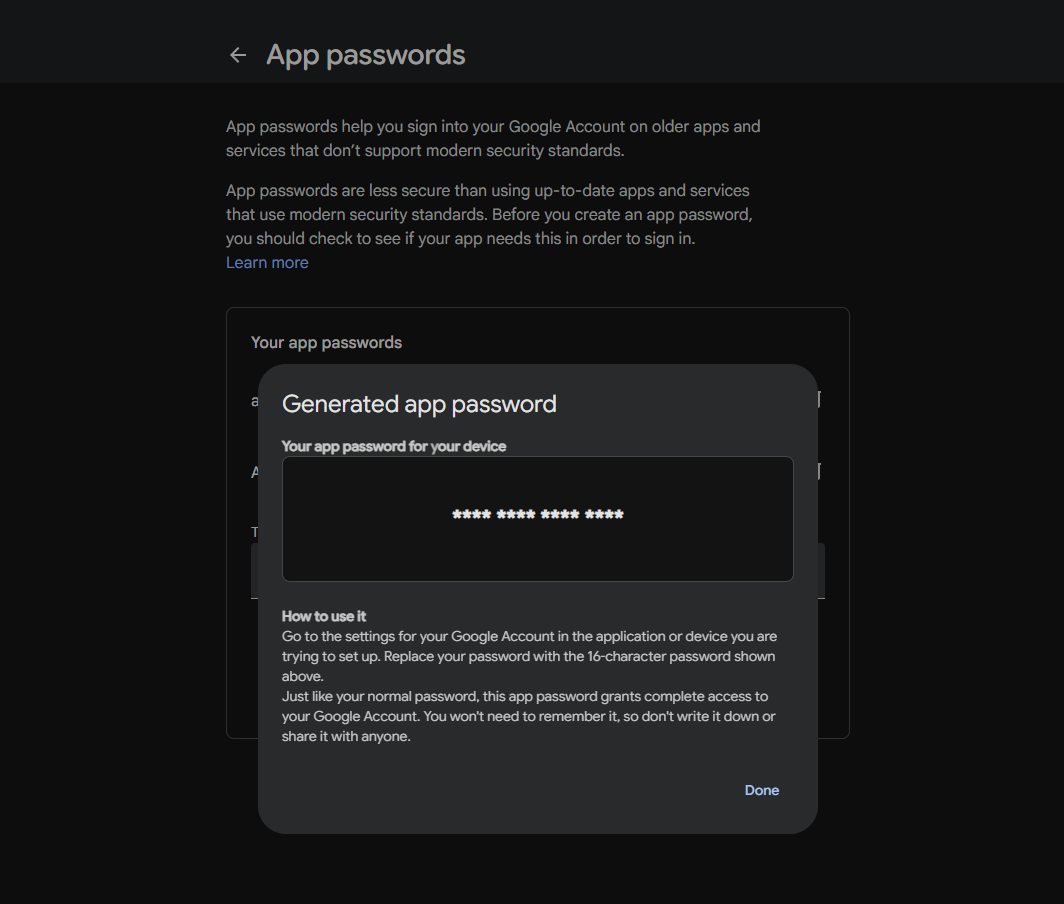
Create an app password.Gmail, Microsoft 365 and Yandex will not accept your account password over SMTP. You need a separate app password, and that requires two-step verification on the account.
In Gmail: Google Account → Security → 2-Step Verification → App passwords.
Decide the sender address.It has to be on the same domain as the mailbox you authenticate with. Connecting as info@yourdomain.comand sending as noreply@anotherdomain.comis a reason to be rejected.
WordPress SMTP settings step by step
Whichever SMTP plugin you use, the fields are the same.
Host:the value from the table, for example smtp.gmail.com.
Port:587 or 465.
Encryption:STARTTLS for 587, SSL/TLS for 465. Getting this pairing wrong comes back as a connection timeout or a certificate error.
Authentication:on.
Username:usually your full email address. Some hosting providers use a different pattern; the configuration screen in cPanel shows the right one.
Password:the app password. Not the account password.
From address:the address of the mailbox you authenticate with.
From name:your site name. This is what the recipient sees in their inbox.
Save, then go to verification. Saving is not the same as working.
Verification: is it really working
Sending a test email is not enough. All four checks have to pass.
| Check | How | Expected |
|---|---|---|
| Does the test send | Use the plugin’s test tool, to yourself | No error |
| Does it reach the inbox | Check the spam folder too | Inbox |
| Is it really leaving via SMTP | View the message source, read the Received:lines | Your server name appears |
| Is a wrong password rejected | Enter a deliberately wrong password and test again | The test must FAIL |
The fourth is the most important and the most often skipped. If a test with the wrong password still reports success, your WordPress SMTP settings are not in use — the plugin has quietly fallen back to mail(). Restore the correct password afterwards.
Do not rely on the test tool alone. Try a real event as well: submit a contact form or request a password reset. A test that works while form emails do notis a separate and common problem, usually caused by the form putting the visitor’s address in the sender field.
If it still does not work
If the WordPress SMTP settings are saved and nothing has changed, work through these.
Connection timed out or refused.Your hosting provider may be blocking the outbound port. If 587 does not work, try 465. If neither does, ask your provider whether outbound SMTP is open. For a fuller diagnosis see the SMTP connect() failed guide.
535 authentication error.The password is wrong, or an account password was used. Create an app password. On Microsoft 365 the SMTP AUTH setting also has to be enabled for the mailbox; in corporate tenants it is off by default.
Certificate error.The port and encryption do not match. You may have paired 465 with STARTTLS or 587 with SSL/TLS. Do not use the option that disables verification; it hides the problem rather than solving it.
Mail sends but lands in spam.SMTP alone is not enough. Your domain also needs SPF and DKIM records.
How AIOWS helps:
AIOWS SMTP Manager
Entering the values above by hand is not hard, but it grows when you want OAuth on Gmail or Microsoft 365. That means creating a project in the Google Cloud Console, configuring the consent screen, generating credentials, defining a redirect URI and completing the authorisation flow. Fifteen steps, and again from scratch for every client.
EasyConnect in AIOWS SMTP Manager reduces it to one link: you pick your Google or Microsoft account, grant permission, and the connection is made. No console configuration, no copying keys, no redirect URI.
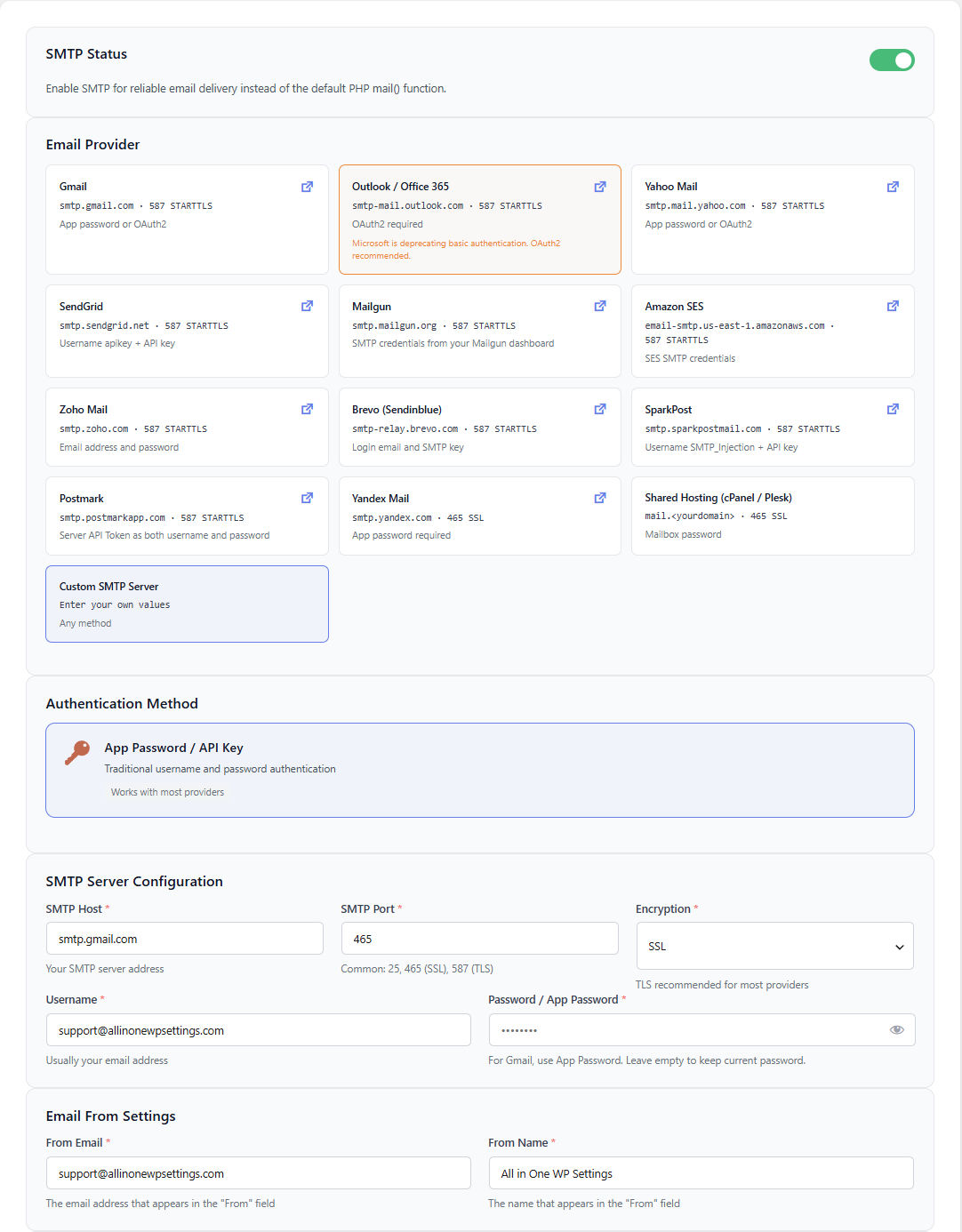
The module carries thirteen provider presets: Gmail, Outlook and Office 365, Yahoo, Zoho, SendGrid, Mailgun, Amazon SES, Brevo, SparkPost, Postmark, Yandex, shared hosting, and a custom SMTP server for anything else. Selecting a card brings host, port and encryption together, so the pairing mistake in this article never occurs.
The shared hosting preset derives the host from your own site — it arrives as mail.yourdomain.com. The Yandex card carries its two prerequisites on its face: the username is the part before the @, and an app password is mandatory.
The test tool checks each part of the configuration separately, and when a send fails it names the stage it failed at — DNS resolution, connection, TLS handshake or authentication. The server’s own reply line is shown too; credentials never are.
Its limits, stated plainly:the module cannot open a port your hosting provider has blocked, it cannot write your domain’s SPF or DKIM records into DNS for you, and it cannot change an SMTP AUTH setting that is off in your Microsoft 365 tenant. Those three need you or your provider.
FAQ
Do I have to configure WordPress SMTP settings at all?
WordPress’s own delivery path does not authenticate, so your messages either do not arrive or land in spam. SMTP is the standard way to get email delivered reliably.
Can I use my account password?
Gmail, Microsoft 365 and Yandex will not accept it. You need an app password, and that requires two-step verification on the account.
Should I choose 587 or 465?
Whichever your provider documents. Where both are supported, 587 is more common. What matters is pairing the port with the right encryption type.
How many emails can I send through Gmail?
Personal Gmail accounts have a daily sending limit. Sites with high volume are better served by a transactional email provider.
I configured SMTP and it still lands in spam.
SMTP gets the message delivered; it does not build reputation. Your domain needs SPF and DKIM records.
The test email arrives but form emails do not.
The form plugin is putting the visitor’s address in the sender field, which conflicts with authentication. Fix the sender to an address on your own domain and put the visitor’s address in Reply-To.