
Htaccess Editor for WordPress
Edit your .htaccess file safely from inside wp-admin, with reusable snippets and one-click rollback to a saved backup.
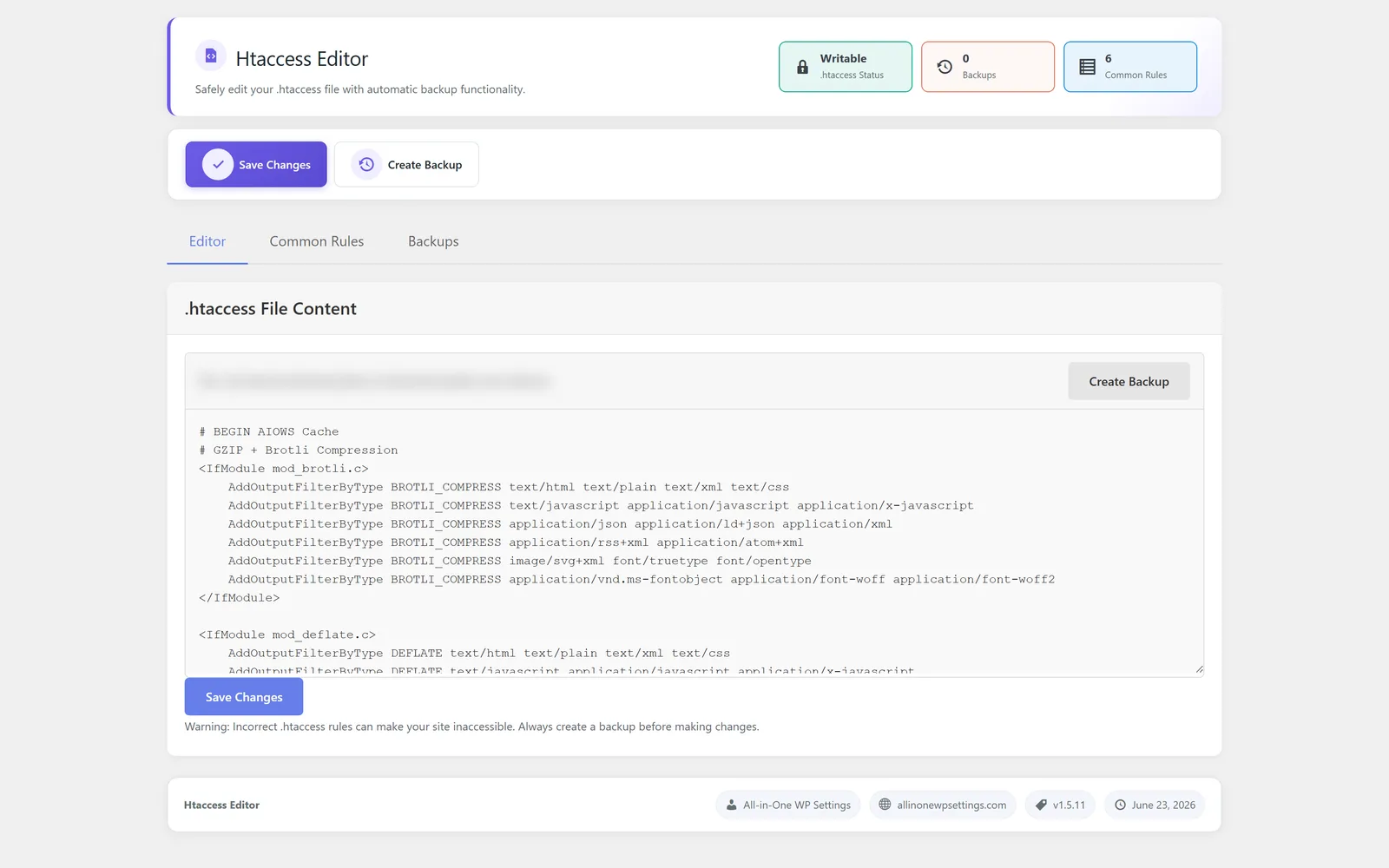
Edit your WordPress .htaccess safely, without FTP
Htaccess Editor is a WordPress htaccess editor that lets you view and change your .htaccess file directly from the wp-admin dashboard, so you do not need FTP or a control panel file manager. Editing server rules by hand is error prone, and a single bad line can take a site offline, so the module shows a safety notice before you save and creates a backup of your existing rules before a restore. It ships with a library of common reusable rule snippets you can drop in instead of writing them from scratch. If an edit misbehaves, you can roll back to a saved backup and return to a known good state. The result is a faster, calmer way to manage server-level rules from one place.
Best for: Site owners, developers, and agencies who need to manage .htaccess rules from wp-admin without opening an FTP client, and who want a backup to fall back on.
See Htaccess Editor in action
What you can do inside Htaccess Editor
- Edit the .htaccess file directly from wp-admin with no FTP client required
- See a clear safety notice before your changes are saved
- Insert from a library of common reusable rule snippets
- Create a backup of your existing rules before a restore
- Roll back to a saved backup if an edit causes problems
- Keep all server-rule editing in one place inside the dashboard
Why Htaccess Editor matters
No FTP detour
Editing .htaccess usually means an FTP client or a host file manager. Doing it inside wp-admin keeps everyday rule changes quick and in context.
A safety net before and after
A safety notice prompts you before saving, and a backup is created before a restore, so a risky edit does not have to become a stuck site.
Less guesswork
The snippet library gives you common, reusable rules to start from instead of writing fragile syntax by memory.
How teams use Htaccess Editor
-
Apply a common rule fast
Pull a reusable snippet from the library, review the safety notice, and save it without leaving the dashboard.
-
Recover from a bad edit
When a custom rule misbehaves, roll back to a saved backup and return the site to a working state.
-
Tidy server rules in one place
Review and adjust your existing .htaccess directives from wp-admin instead of juggling FTP sessions.
Htaccess Editor guides
Step-by-step articles on setup, configuration and common problems.
Good to know: Server rules are powerful, and while the module keeps backups, it does not validate that every custom rule is correct for your specific server, so test changes carefully.
Htaccess Editor FAQ
No. You can edit the .htaccess file directly from wp-admin, so an FTP client or host file manager is not required for routine changes.
A backup of your existing rules is created before a restore, and you can roll back to a saved backup to return to a known good state.
No. There is a library of common reusable rule snippets you can insert, and a safety notice is shown before your changes are saved.
Yes — Htaccess Editor ships on every plan. Tiers differ only by the number of live production domains you can run (1, 3, or 5), never by which modules you get.
Htaccess Editor is included on every plan
Every plan includes all 15 modules. Choose a plan, then activate Htaccess Editor on your sites.