
Language Compiler for WordPress
Compile, upload, scan, and manage your WordPress translation files from one wp-admin screen, so the right .mo binaries are always in place.
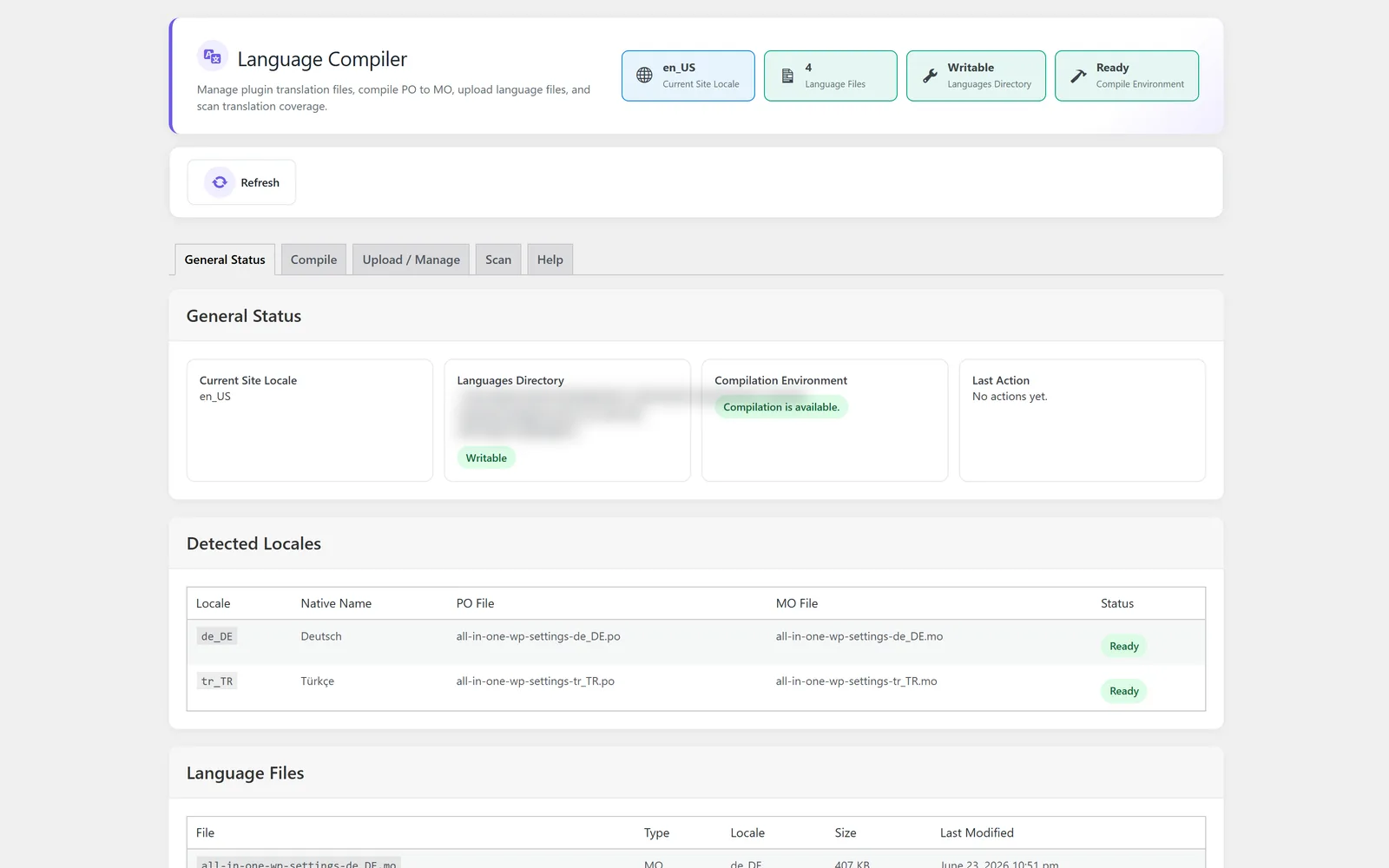
Compile and manage WordPress translation files in one place
Language Compiler is the translation file workflow inside All-in-One WP Settings. WordPress reads compiled .mo binaries at runtime, but the strings you actually author live in editable .po files, and keeping the two in sync by hand or over FTP is error prone. This WordPress translation compiler closes that gap from wp-admin: it shows the status of your language files, compiles .po sources into the .mo binaries WordPress loads, lets you upload and manage files, and scans your sources for translatable strings. The value is a single screen where your finished translations become live without leaving the dashboard.
Best for: Site owners, multilingual maintainers, and agencies who translate themes, plugins, or custom code and need a reliable way to compile and manage language files inside WordPress.
See Language Compiler in action
What you can do inside Language Compiler
- See a clear status overview of your language files in one place
- Compile editable .po files into the .mo binaries WordPress loads
- Upload and manage language files directly from wp-admin
- Scan your sources for translatable strings
- Work across .po and .mo formats from a single screen
- Keep editable sources and compiled binaries in sync without FTP
Why Language Compiler matters
Compiled files reach the live site
WordPress only loads compiled .mo binaries, so a translation that is not compiled never appears. This module turns your .po sources into the .mo files WordPress expects.
One screen instead of scattered tools
Status, compile, upload, and scanning live together in wp-admin, so you do not juggle a desktop editor, an FTP client, and the dashboard to ship a translation.
Fewer missed strings
Scanning your sources for translatable strings helps you see what still needs wording before you compile, reducing untranslated text slipping into production.
How teams use Language Compiler
-
Ship a finished translation
After you write the wording in your .po editor, upload the file and compile it into the .mo binary so the new language goes live.
-
Audit language file status
Open the overview to confirm which language files exist and which sources have been compiled across your themes and plugins.
-
Find untranslated strings
Scan your sources for translatable strings so you know what to author before the next compile.
Language Compiler guides
Step-by-step articles on setup, configuration and common problems.
Good to know: It compiles, uploads, manages, and scans translation files, but it is not a side-by-side string editor, so you author the wording in your preferred .po editor and bring the file here to compile and publish.
Language Compiler FAQ
No. It does not generate translations. You author the wording in your preferred .po editor, then use this module to compile, upload, manage, and scan the files.
WordPress loads the compiled .mo binaries at runtime, not the editable .po sources. Compiling turns your finished .po file into the .mo file WordPress actually reads.
Yes. You can upload and manage language files and run the compile step directly from wp-admin, so you do not need a separate FTP client for the workflow.
Yes — Language Compiler ships on every plan. Tiers differ only by the number of live production domains you can run (1, 3, or 5), never by which modules you get.
Language Compiler is included on every plan
Every plan includes all 15 modules. Choose a plan, then activate Language Compiler on your sites.