
Login Manager for WordPress
Lock down the WordPress login and access layer with a custom login URL, two-factor authentication, lockouts, IP rules, and activity logs in one module.
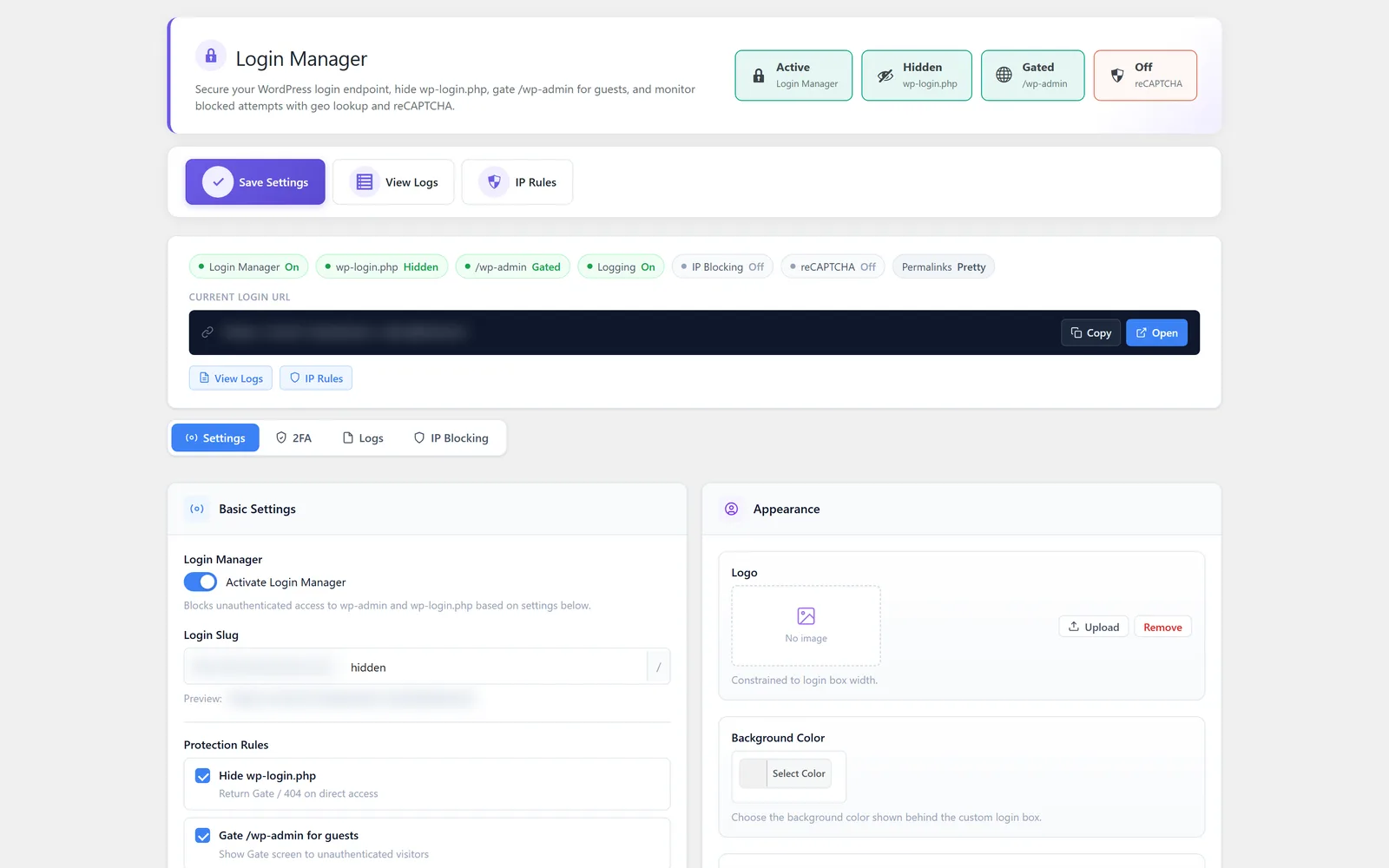
WordPress login security without another heavy security plugin
Login Manager is the part of All-in-One WP Settings that hardens the way people sign in to your WordPress site. The default wp-login address and an open login form are predictable targets for automated guessing, so this module lets you move and protect that entry point. You can set a custom login URL, add reCAPTCHA v2 and automated-attempt protection to the form, lock out repeated failures, and require two-factor authentication for the roles that matter. Login activity logs and blocked-attempt logs give you a clear record of who is getting in and what is being turned away. The result is practical WordPress login security that you can configure without leaving your dashboard.
Best for: Site owners, freelancers, and agencies who want to tighten the login and access layer for WordPress sites and client builds without stitching together several separate tools.
See Login Manager in action
What you can do inside Login Manager
- Set a custom login URL to hide the default wp-login address
- Protect the login form against automated attempts
- Add reCAPTCHA v2 to the login form to filter out bots
- Lock out accounts after repeated failed login attempts
- Two-factor authentication with TOTP authenticator apps
- Email codes and backup codes for two-factor authentication
- Require two-factor authentication by user role
- Define IP allow rules to permit trusted addresses
- Define IP block rules to stop unwanted addresses
- Review login activity logs for successful sign-ins
- Inspect blocked-attempt logs to see what was turned away
Why Login Manager matters
The login page is a known target
The default wp-login address is the first place automated tools probe. Moving it to a custom login URL and adding form protection removes the easy, predictable entry point.
Two-factor closes the password gap
Passwords leak and get reused. TOTP apps, email codes, and backup codes add a second factor, and role-based rules let you require it where the risk is highest.
Logs turn guesswork into evidence
Login activity logs and blocked-attempt logs show you who signed in and what was stopped, so access decisions are based on a record rather than assumptions.
How teams use Login Manager
-
Hide and protect the login entry point
Replace the default wp-login address with a custom login URL and layer on reCAPTCHA v2 and automated-attempt protection to cut down on noisy guessing.
-
Require two-factor for administrators
Use role-based rules to enforce two-factor authentication for admins and editors while keeping sign-in simpler for lower-risk roles, backed by TOTP, email codes, and backup codes.
-
Control access by IP
Allow trusted office or VPN addresses and block addresses that keep generating failed attempts, then confirm the effect in the blocked-attempt logs.
-
Audit who is signing in
Review login activity logs after a handoff or an incident to see successful sign-ins and spot anything that looks out of place.
Login Manager guides
Step-by-step articles on setup, configuration and common problems.
Good to know: Login Manager focuses on the login and access layer. It is not a full site-wide security suite, so it covers how people sign in rather than every other part of your site.
Login Manager FAQ
Yes. You can set a custom login URL so the default wp-login address is no longer the public way in, which removes a predictable target for automated guessing.
You can use TOTP authenticator apps, email codes, and backup codes. You can also require two-factor authentication based on user role.
Yes, Login Manager supports reCAPTCHA v2 on the login form, along with general protection against automated login attempts.
You can enable login lockout so that accounts are locked after repeated failed attempts, and the blocked-attempt logs record what was stopped.
Yes. You can define IP allow rules for trusted addresses and IP block rules for addresses you do not want reaching the login form.
No. Login Manager is focused on the login and access layer, not a full site-wide security suite. It strengthens how people sign in rather than covering every part of the site.
Yes — Login Manager ships on every plan. Tiers differ only by the number of live production domains you can run (1, 3, or 5), never by which modules you get.
Login Manager is included on every plan
Every plan includes all 15 modules. Choose a plan, then activate Login Manager on your sites.