
Popup Manager for WordPress
A WordPress popup manager that lets you build, target, and display popups from one place, with triggers, rules, and frequency caps you control.
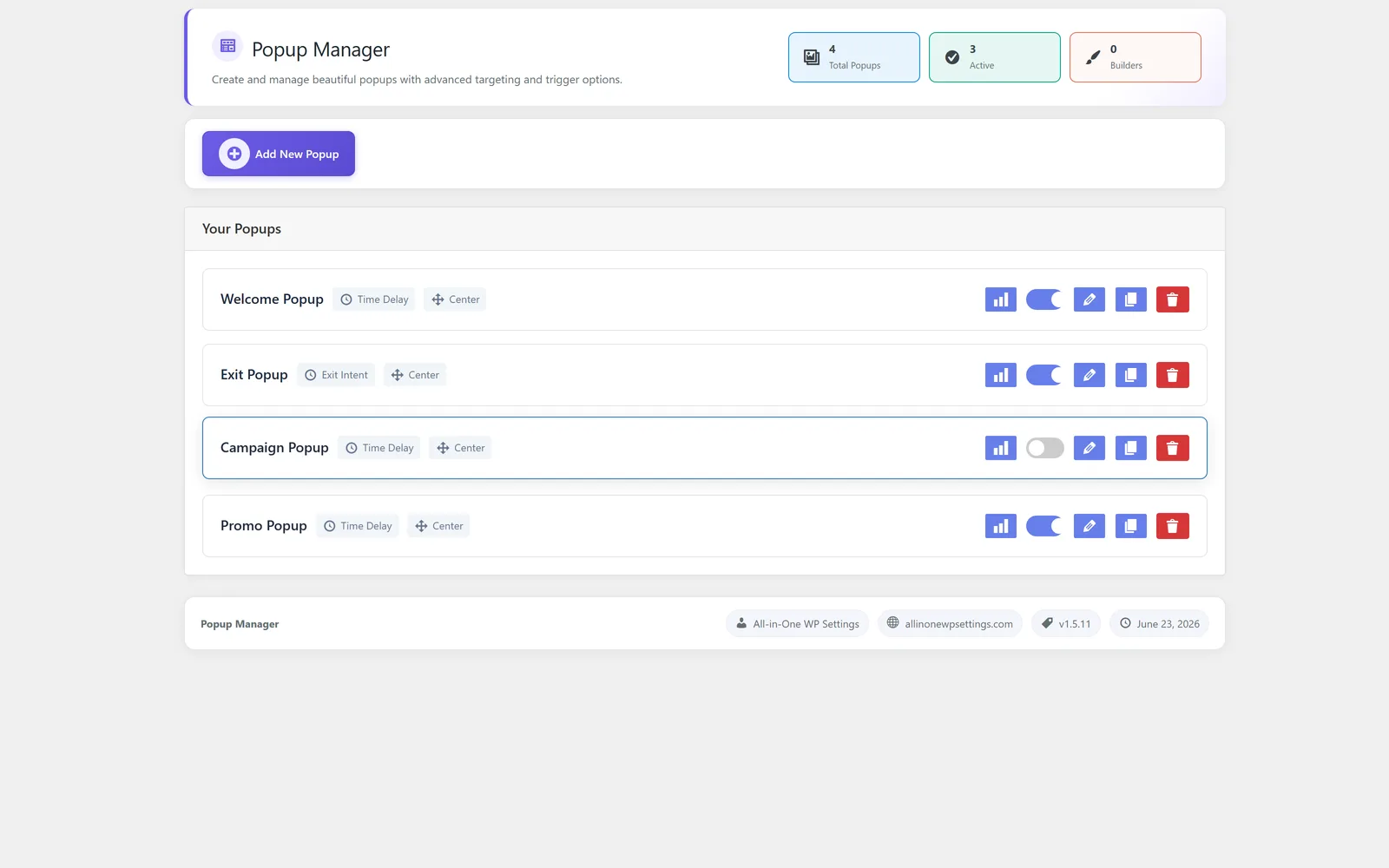
Build and control WordPress popups from one place
Popup Manager is the WordPress popup manager inside All-in-One WP Settings. It lets you create every popup from a single list, edit its content, control how it looks, and decide exactly when, where, and to whom it appears. Many sites end up stitching together separate plugins for announcements, offers, and notices, which makes popups hard to track and easy to overuse. This module brings that work into one consistent place, with display triggers, targeting rules, and frequency caps so visitors are not over-shown the same message. You can also save any popup as a reusable template and check basic performance stats to see how each popup is performing.
Best for: Site owners, marketers, and agencies who want to manage WordPress popups in one place with clear control over timing, targeting, and how often each popup is shown.
See Popup Manager in action
What you can do inside Popup Manager
- Create and manage all popups from one central list
- Edit the content of each popup with a dedicated content editor
- Use design controls to shape how every popup looks
- Set display triggers that decide when a popup appears
- Apply targeting and display rules for where and to whom a popup shows
- Set frequency caps so visitors are not over-shown the same popup
- Start faster with reusable popup templates built into the module
- Save any popup as a reusable template for later use
- Review basic popup performance stats to see how each popup is performing
Why Popup Manager matters
One place for every popup
Managing all popups from a single list keeps your messaging organized and easy to update, instead of scattered across separate plugins.
Control over timing and audience
Display triggers plus targeting and display rules let you show the right popup at the right moment to the right visitors.
Respect for the visitor
Frequency caps keep popups from repeating too often, so your site stays welcoming while still getting the message across.
How teams use Popup Manager
-
Announcements and notices
Show a timely announcement using a display trigger, then cap how often each visitor sees it so it does not become repetitive.
-
Promotions and offers
Design an offer popup, target it to specific pages or visitors with display rules, and track how it performs with basic stats.
-
Reusable on-brand popups
Save a finished popup as a reusable template so future campaigns start from a consistent design instead of from scratch.
-
Page-specific messaging
Use targeting and display rules to show different popups on different parts of the site, matching the message to the context.
Popup Manager guides
Step-by-step articles on setup, configuration and common problems.
Good to know: Popup Manager builds, targets, and displays popups; it is not an email marketing or contact-management tool, so it does not store subscriber lists or send campaigns.
Popup Manager FAQ
Yes. You create and manage all popups from one list, edit their content, control their design, set triggers and rules, and apply frequency caps, all in one place.
Yes. Display triggers decide when a popup shows, and targeting and display rules decide where and to whom it appears.
No, not if you set frequency caps. Caps limit how often a visitor is shown a popup so the same message does not repeat too much.
Yes. You can save any popup as a reusable template, and the module also includes built-in popup templates to help you start faster.
No. Popup Manager builds, targets, and displays popups. It is not an email marketing or contact-management tool.
Yes — Popup Manager ships on every plan. Tiers differ only by the number of live production domains you can run (1, 3, or 5), never by which modules you get.
Popup Manager is included on every plan
Every plan includes all 15 modules. Choose a plan, then activate Popup Manager on your sites.