
PHP Limits for WordPress
Read-only overview of your WordPress PHP limits, with sanitized diagnostics you can copy into a support ticket in one step.
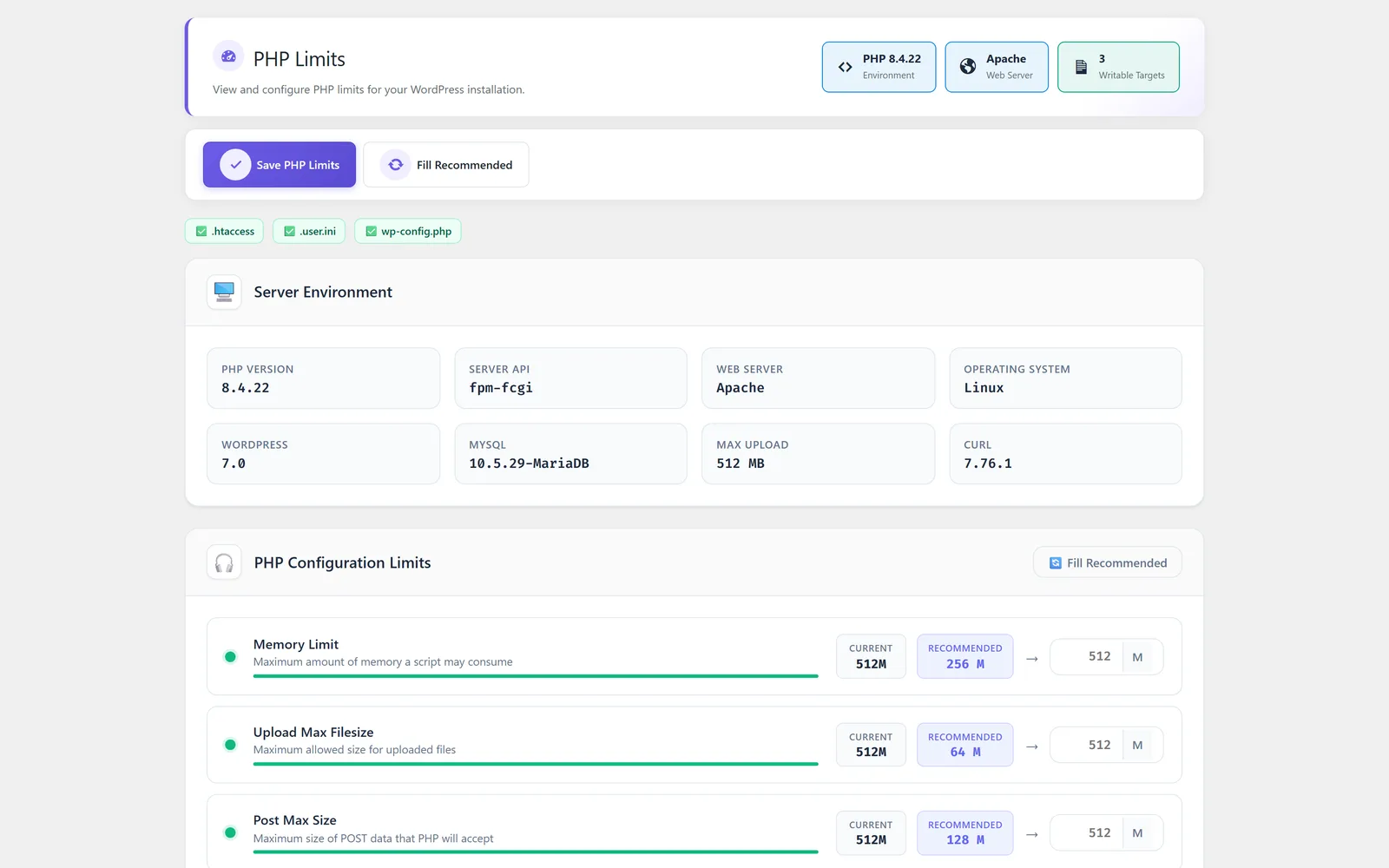
See your WordPress PHP limits at a glance
The PHP Limits module gives you a clear, read-only view of the key PHP and WordPress limits that shape what your site can do, such as the memory limit and the maximum upload size. When an upload fails or a task runs out of memory, the cause is often a server limit that is hard to find and easy to misread. This module surfaces those limits in one place and prepares a sanitized version of the PHP information that is safe to share. With a single step you can copy the cleaned details into a support ticket, so the people helping you get accurate context without you exposing sensitive server data. It does not change any configuration, so checking your limits is always safe.
Best for: Site owners, freelancers, and agencies who need to understand the PHP limits behind upload errors or memory issues and want a quick, safe way to share that detail with hosting or plugin support.
See PHP Limits in action
What you can do inside PHP Limits
- Overview of key WordPress PHP limits such as memory limit and maximum upload size
- Clear read-only reporting that never changes your server configuration
- Sanitized PHP information prepared specifically for support diagnostics
- One-step copy of the sanitized details for pasting into a support ticket
- Sensitive server values cleaned out before anything is shared
- A single place to confirm the limits in effect before large operations
Why PHP Limits matters
Find the real cause of failures
Many upload and memory errors trace back to a PHP limit. Seeing those values directly helps you pinpoint the limit instead of guessing.
Share safely, not blindly
The sanitized output lets you hand support meaningful detail without copying raw server information that should stay private.
Safe by design
Reporting is read-only, so you can inspect your WordPress PHP limits as often as you like with no risk of changing the server.
How teams use PHP Limits
-
Diagnose an upload error
Check the maximum upload size when a media file or import refuses to go through, then confirm whether the limit is the blocker.
-
Open a faster support ticket
Copy the sanitized PHP details in one step so your host or a plugin author has the context they need on the first reply.
-
Confirm headroom before a big task
Review the memory limit ahead of a heavy import or operation to know whether the current configuration can handle it.
PHP Limits guides
Step-by-step articles on setup, configuration and common problems.
Good to know: This module reports the limits in effect; it does not change them. Adjusting values like the memory limit or upload size is handled in your hosting or server configuration.
PHP Limits FAQ
No. It is read-only and reports the limits in effect. Changing those values is done in your hosting control panel or server configuration.
Yes. The module prepares a sanitized version of the PHP information and removes sensitive server values, so the copied details are suitable for a support ticket.
It covers key PHP and WordPress limits such as the memory limit and the maximum upload size, giving you a quick view of what affects uploads and resource-heavy tasks.
Yes — PHP Limits ships on every plan. Tiers differ only by the number of live production domains you can run (1, 3, or 5), never by which modules you get.
PHP Limits is included on every plan
Every plan includes all 15 modules. Choose a plan, then activate PHP Limits on your sites.