Replace Manager for WordPress
Run site-wide WordPress find and replace for URLs and text, with a dry-run preview and change history, for cleaning up a manual or third-party site move, staging-to-live changes, and controlled bulk edits.
Safe WordPress find and replace for URLs and text
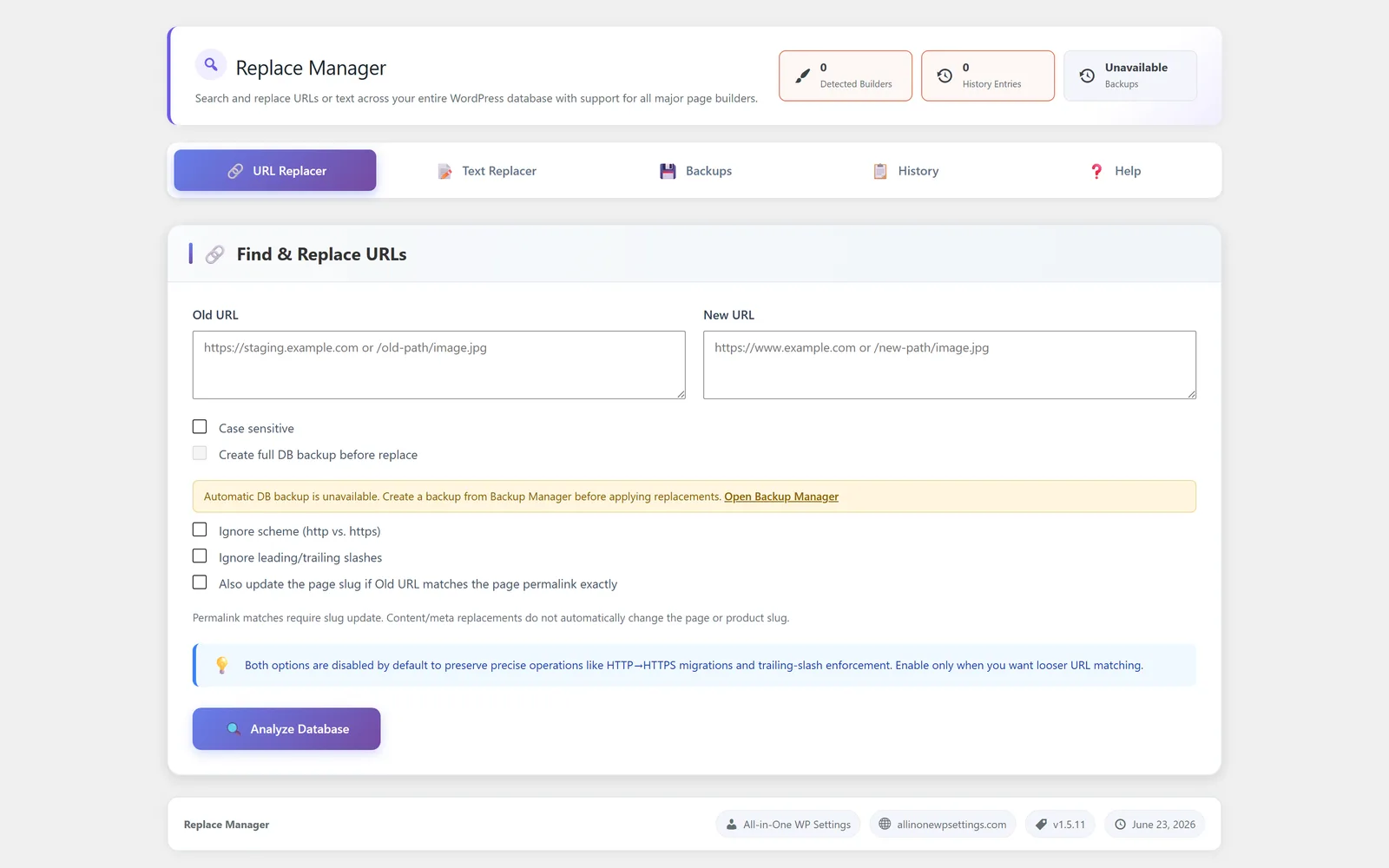
Replace Manager is the WordPress find and replace module inside All-in-One WP Settings. It lets you search your whole site for specific URLs or plain text and swap them for new values in one controlled run, instead of editing posts and pages by hand. It is the right tool when a change happens outside the Backup Manager restore flow: you moved a site manually or with a third-party tool and old links remain, you are cleaning up after a staging-to-live copy, you switched from http to https, or you rebranded a product name across hundreds of entries. When you migrate through Backup Manager instead, that flow already rewrites URLs for you, so Replace Manager is reserved for leftover or external references. Every run starts with a dry-run preview so you can see what would change before anything is written, and a change history records past runs so you always know what was replaced and when. The value is simple: large content corrections become reviewable, repeatable, and far less risky.
Best for: Site owners, agencies, and freelancers who migrate sites, switch domains, move to HTTPS, or rebrand and need to update many URLs or text strings across content at once.
See Replace Manager in action
What you can do inside Replace Manager
- Find and replace URLs across the whole site in a single run
- Find and replace plain text strings throughout your content
- Preview every change with a dry-run before anything is applied
- Review a change history of past replacement runs
- Built-in safety guidance for setting scope and confirming each run
- Clean up a manual or third-party move by rewriting leftover old-domain references
- Convert http references to https during an SSL move
- Apply rebrands by updating an old product or company name everywhere
- Make bulk content corrections such as repeated typos or outdated phrases
Why Replace Manager matters
Preview removes the guesswork
The dry-run shows exactly what would change before a single row is written, so you can confirm scope and catch mistakes instead of discovering them after the fact.
Bulk work without manual editing
Updating one URL or phrase across hundreds of posts by hand is slow and easy to get wrong. A single controlled run does the same work consistently and keeps the result uniform across your content.
A record you can trust
Change history keeps a log of past replacement runs, so you and your team can see what was replaced and when rather than relying on memory.
How teams use Replace Manager
-
Cleanup after a manual or third-party move
You moved a site to a new domain by hand or with an external tool, so old links and references are scattered across your content. Find the old domain and replace it with the new one in a single reviewed run. A migration done through Backup Manager already handles this automatically.
-
Staging-to-live cleanup
After pushing a staging build live, replace staging URLs and leftover references with the production values so nothing keeps pointing back at the staging environment.
-
HTTPS conversion
After installing a certificate, rewrite http references to https so older content points to secure addresses.
-
Brand or product rename
When a product or company name changes, replace the old name with the new one everywhere it appears so your content reads consistently.
-
Bulk content corrections
Fix a repeated typo, an outdated phrase, or a wrong piece of text that was copied across many posts and pages at once.
Replace Manager guides
Step-by-step articles on setup, configuration and common problems.
Good to know: Broad replacements can touch many rows at once, so always run the dry-run preview first and keep a recent backup before any large run.
Replace Manager FAQ
It searches your site for a specific URL or piece of text and swaps it for a new value across your content in one run, which is ideal for domain moves, HTTPS conversion, rebrands, and bulk corrections.
Yes. Every replacement starts with a dry-run preview that shows what would change, so you can confirm the scope before anything is written.
Yes. Replace Manager keeps a change history of past replacement runs so you can see what was replaced and when.
Yes, when the move happened outside Backup Manager. If you moved a site manually or with a third-party tool, find the old domain and replace it with the new one across the site. If you migrate through Backup Manager instead, that flow already rewrites the URLs for you, so you would use Replace Manager only for leftover or external references.
Yes. It can rewrite http references to https across your content. For the certificate side, pair it with SSL Manager.
It can be, as long as you preview with the dry-run first and keep a backup. Broad replacements touch many rows, so review the preview and use Backup Manager before large runs.
Yes — Replace Manager ships on every plan. Tiers differ only by the number of live production domains you can run (1, 3, or 5), never by which modules you get.
Replace Manager is included on every plan
Every plan includes all 15 modules. Choose a plan, then activate Replace Manager on your sites.